
Variables for Google Docs and Google Slides
${Doc Variables}
A simple way to create amazing Google Doc templates.
Install Now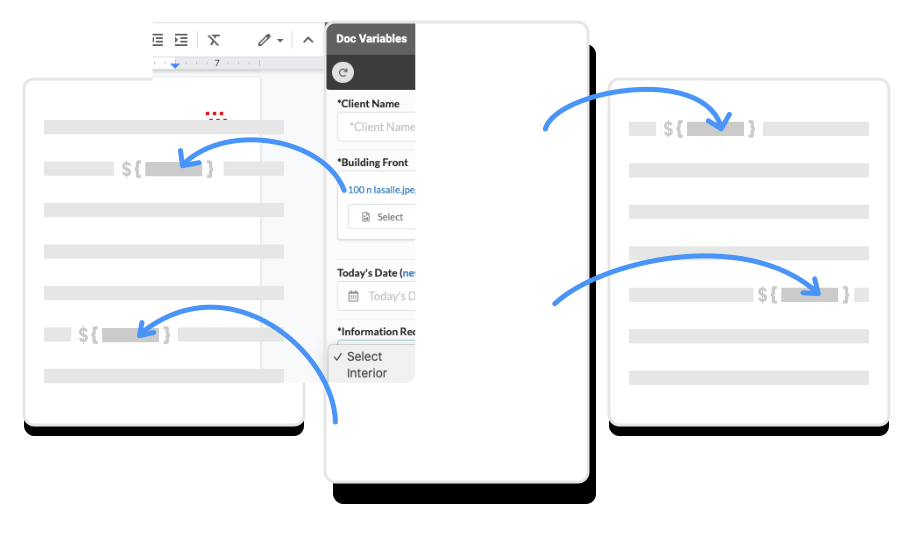
Download the add-on for Google Docs and Google Slides
You can install it from any Google Doc or Slide by clicking on Tools→Get Add-ons and searching for Doc Variables. Or, you can install it directly from the GSuite Marketplace.
Add your variables to your template Doc or Slide
Follow the instructions in the sidebar to get started. Or you can learn more about the different types of variables in our documentation.
Add the variables replacements and save as a new Doc
A form will be generated in the sidebar to fill in the values for your variables. Press the apply button, and follow the instructions to complete the process.
Making It Easier
Seamless integration with G Suite apps

Google Docs

Google Slides

Google Sheets
Over 400+ 5 Star Reviews on Google Marketplace
Join 190,000+ people enjoying Doc Variables
Enjoy the power of the top rated G Suite add-on for creating templates and get rid of the pain of manually updating contracts, proposals, etc.
Install Now